🧾 Audit trail
Who can do this: Owners and Managers.
Everything that happens around your protected data is recorded: who requested access, who approved it, what was revealed and when.
When an auditor, insurer or client asks who can reach what, you export the audit trail as one clean document instead of writing a memo. Owners and managers can both export it.
Read it on screen
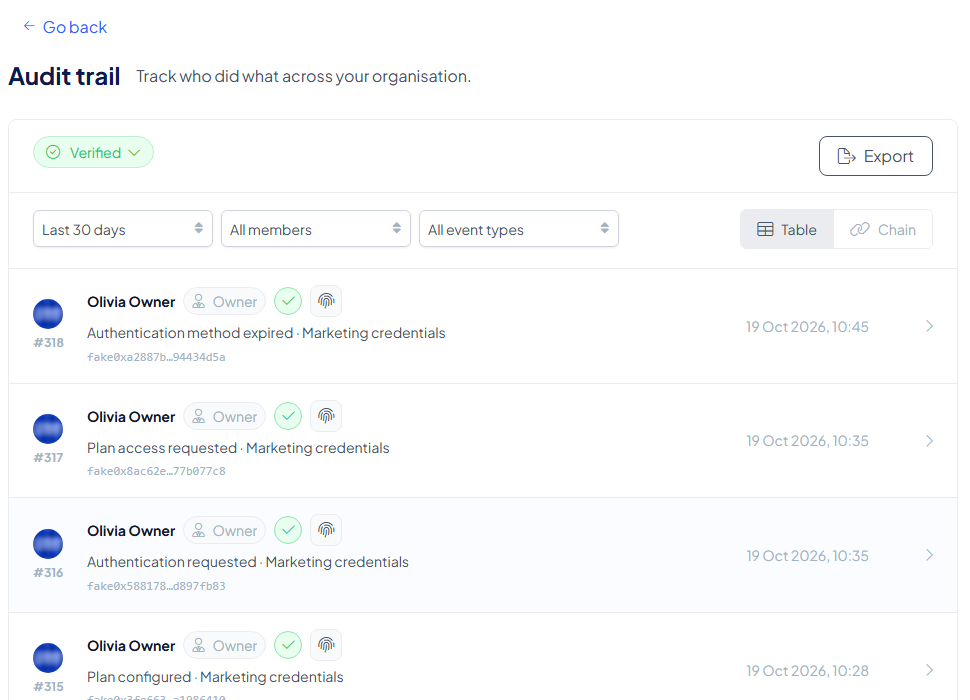
Go to My Organisation → Audit trail ("Track who did what across your organisation."). Each row is one event: its number, the person (or Inheriti system) with their role, what happened and the plan or layer it concerns, and the date and time. Three filters narrow the list: the period (Last 30 days by default), the member and the event type.
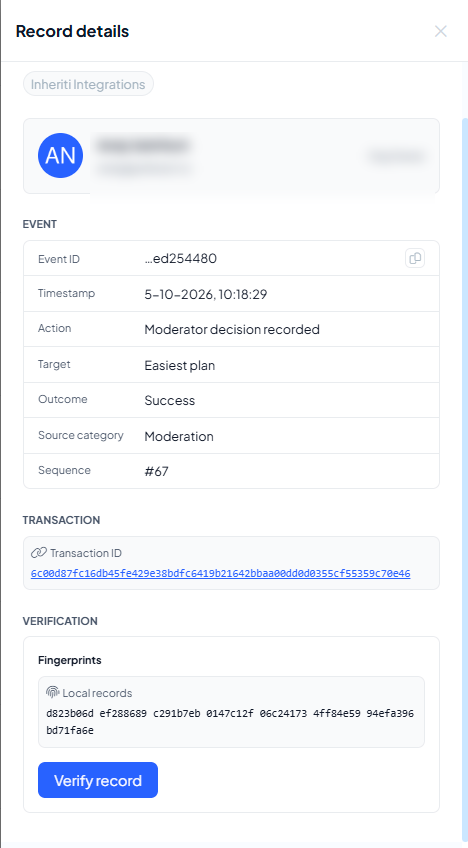
Select a row to open its Record details: the event, the outcome, the source category, the sequence number, the transaction ID and the fingerprint of the record. Verify record checks that single record against InheritiChain: see Verify a particular record.
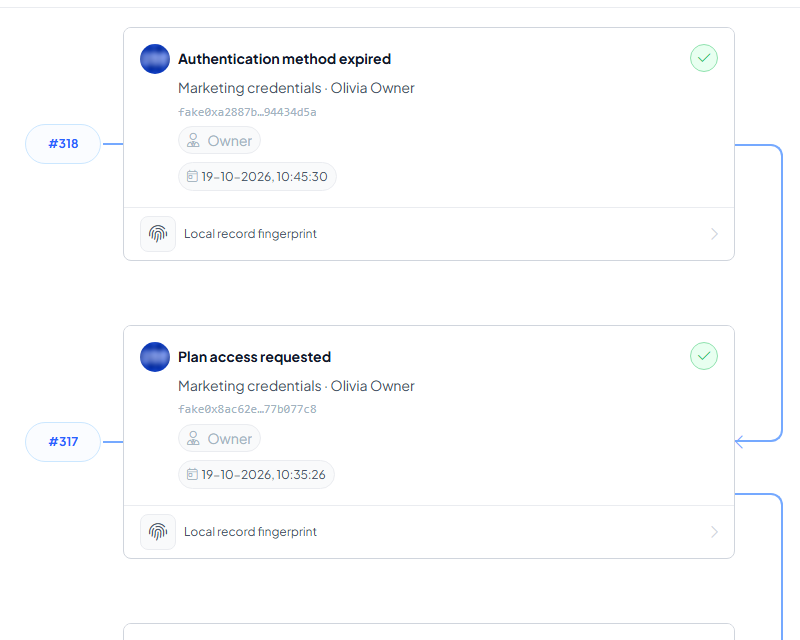
Switch from Table to Chain to see the same events as numbered blocks, each linked to the previous one.
The integrity badge
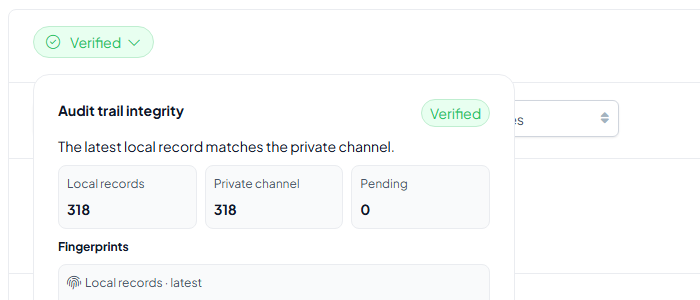
The green Verified badge at the top is a live check. Select it to open Audit trail integrity: the number of local records, the number held in the private channel and how many are pending. When they match it reads "The latest local record matches the private channel."
What the export contains
Select Export (top right) to open Export audit log, and choose the date range, the sections and a format: PDF, XLSX or JSON.
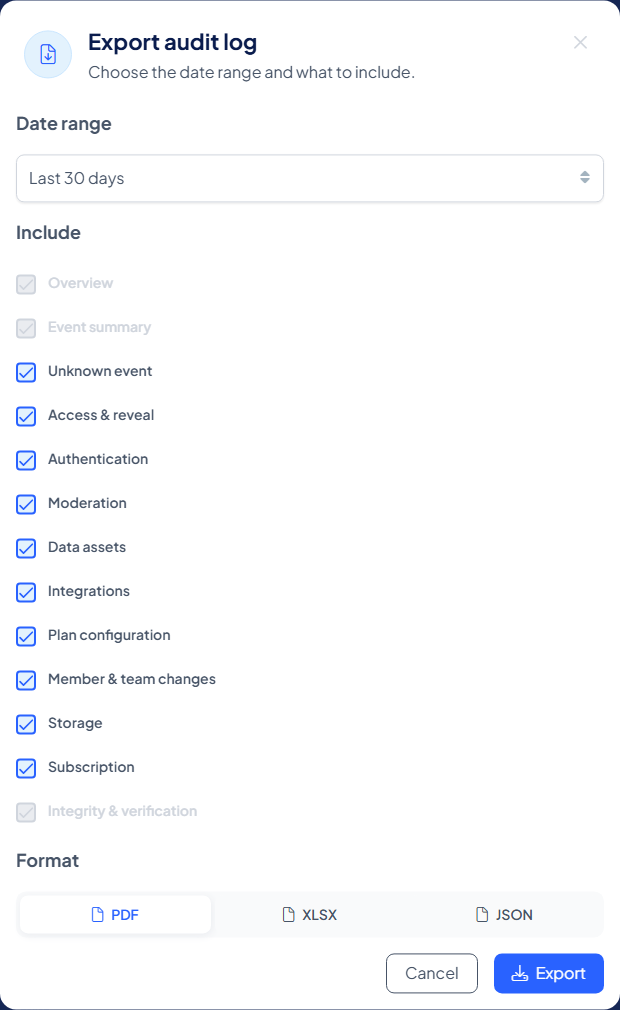
You choose a period (the last 7, 30 or 90 days) and which categories to include. Three parts are always in the document: the overview, the event summary and the integrity and verification page. Every category in between is yours to include or leave out:
| Section | What it shows |
|---|---|
| Overview | The report's scope, period and integrity status of your audit records |
| Event summary | Activity counts per category |
| Access & reveal | Every request and what came of it |
| Authentication | Confirmation events |
| Moderation | Approvals and denials, with who decided |
| Data assets | Activity around the protected assets themselves |
| Plan configuration | Plan creation and changes |
| Member & team changes | Members and teams joining, moving and leaving |
| Storage | Activity on your storage layers |
| Subscription | Subscription and billing events |
| Integrations | Activity through connected tools and integrations |
| Integrity & verification | Always the last page: the report's reference, who generated it, and its SHA-256 fingerprint |
Configuration, never content
The export describes activity: no protected content is ever included. No protected plan data, credentials, tokens or raw event payloads appear in it.
Verifiable by design
Inheriti® Business connects your audit records to InheritiChain, its permissioned blockchain. The final page of an export carries the report's SHA-256 fingerprint, so any copy can be checked against tampering. An authorised reviewer can also follow a recorded event to its blockchain transaction: see Verify your audit trail for the channels, the explorer and an independent check.
Verify a particular record
In Inheriti® Business
- Open the event's Record details (the panel shown above) and note its sequence number, transaction ID and fingerprint.
- Select Verify record. Inheriti® Business then:
- recalculates the fingerprint (SHA-256) from the stored record and compares it with the fingerprint saved when the record was made;
- checks that the record still points to the previous record;
- reads the record's fingerprint back from the private channel on InheritiChain and compares it with your own.
- Read the result. The panel shows three fingerprints side by side: Local records · recalculated, Private channel and Local records · saved, with the transaction ID.
| Result | What it means |
|---|---|
| Verified | "The local record matches its fingerprint on the private channel." |
| Pending | "This local record has not reached the private channel yet." Try again later |
| Issue found | The record was changed, a record needed for the check is missing, or a later record on the channel is missing locally. The panel says which |
| Unavailable | The check could not run right now. Try again later |
Understand the integrity status
The Audit trail integrity panel shows the local records, the records held in the private channel and the records still pending. Pending records have not finished anchoring yet. The message "The latest local record matches the private channel" reports a comparison of the latest record only, so use Verify record when you review an individual event.
Record integrity and report integrity
Record verification checks an audit record against its anchored evidence. Report verification uses the export's SHA-256 fingerprint to check the content it covers against a trusted reference. For an independent check in the block explorer, see Verify your audit trail.