🗂️ Organisation data
Who can do this: The Organisation Owner.
Organisation data is the full record of your organisation: what the platform holds about its members, teams, plans and activity, exportable as one document by the organisation owner.
Where to find it
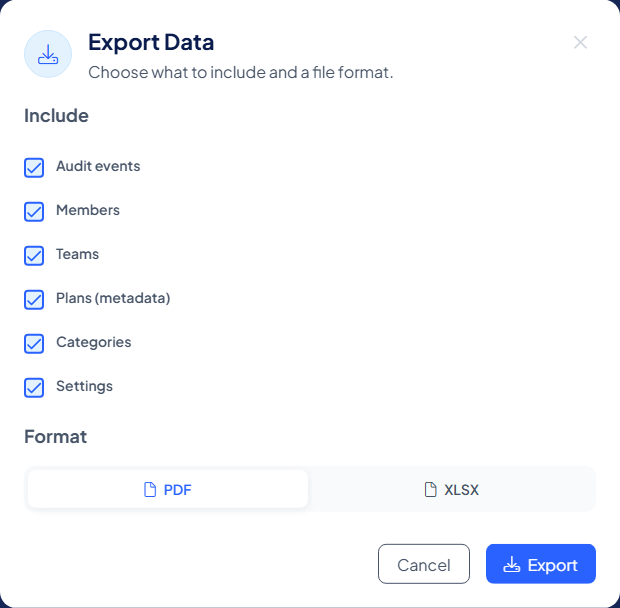
Go to My Organisation → Settings, stay on the Organisation tab and select Download organisation data under GDPR Data Request. The window Export Data ("Choose what to include and a file format.") lets you tick what goes in: Audit events, Members, Teams, Plans (metadata), Categories and Settings. Pick PDF or XLSX (a spreadsheet) and select Export.
The same export is available during standby, so you can take your records with you.
What the export contains
The organisation data export is an 8-section document:
| Section | What it shows |
|---|---|
| Organisation | The organisation's profile and subscription state |
| Members | Everyone in the organisation, with roles and status |
| Teams | Team structure and plan access |
| Protection plans | The plan register: type, governance, moderators, storage layers |
| Categories | How the organisation's plans are categorised |
| Settings | The organisation-wide configuration |
| Audit events | The activity record across the organisation |
| Compliance | Scope and verification of the report itself |
As with every export, it describes configuration and activity, never content: no protected data is ever included.
The organisation's counterpart to personal data
The boundary mirrors Personal data: that page is about you and available to every member personally; this export is about the organisation and belongs to its owner. For a focused view of one member, team, plan or storage layer, use Logs; for the compliance record, the Audit trail, which owners and managers can both export.