🚀 Upgrade your subscription
When your 7-day free trial is nearly over, or whenever you are ready, you turn it into a subscription. Everything you set up during the trial carries over untouched. Subscription and billing belong to the organisation owner.
Where to start
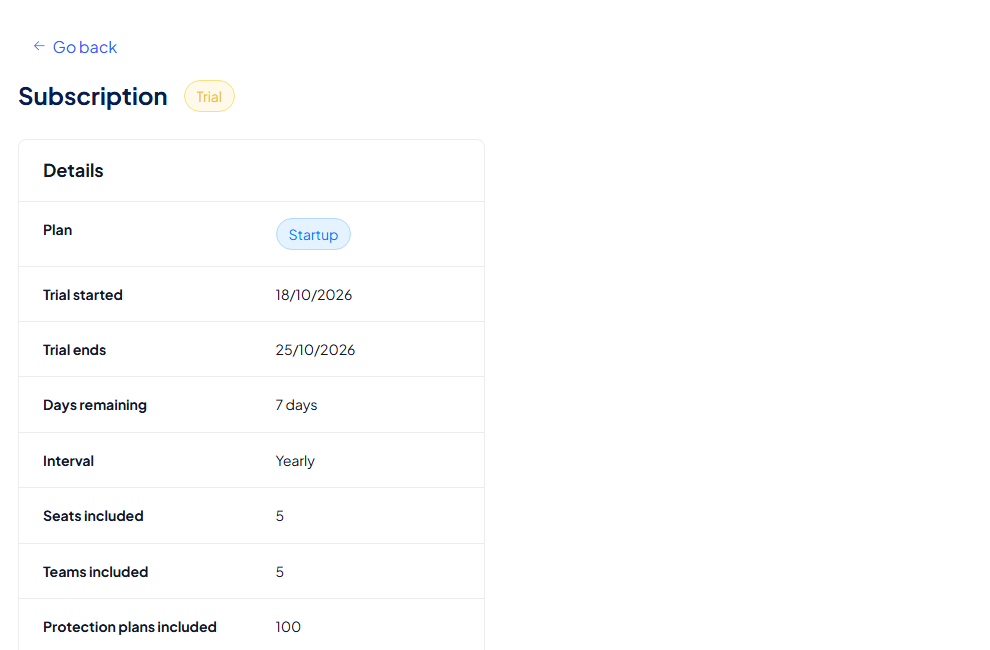
Open My organisation → Subscription. The page shows your current plan, when the trial started and ends, the days remaining, the billing interval, and what is included: seats, teams, protection plans and media storage. Select Upgrade subscription. The yellow trial banner (Activate subscription) and the Upgrade now button in the sidebar also invite you to upgrade.
The upgrade is a short wizard with three steps: 1 Select a plan, 2 Business & Billing and 3 Payment.
Step 1: select a plan
A banner reminds you: "Your trial ends in 7 days. Subscribe now to keep your data and continue using Inheriti® Business." Two choices sit above the plans:
- Number of seats (including you): use − and +. Paid plans have adjustable seats.
- Billing: Monthly or Yearly (2 months free).
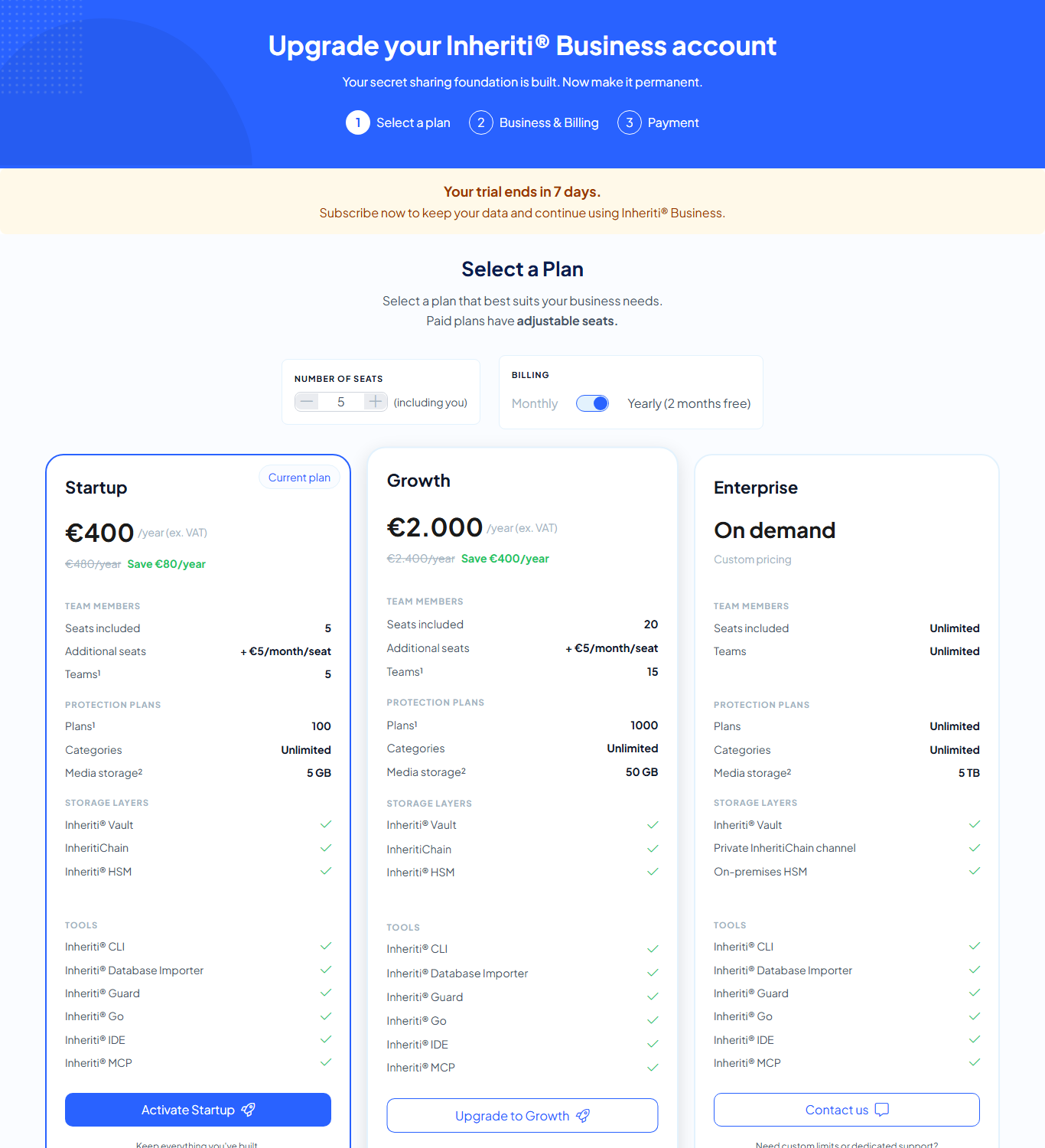
There are three plans. They differ in capacity, not in security: every plan includes the Inheriti® Vault, InheritiChain, the Inheriti® HSM and the six tools.
| Startup | Growth | Enterprise | |
|---|---|---|---|
| Seats included | 5 | 20 | Unlimited |
| Teams | 5 | 15 | Unlimited |
| Protection plans | 100 | 1000 | Unlimited |
| Categories | Unlimited | Unlimited | Unlimited |
| Media storage | 5 GB | 50 GB | 5 TB |
| Button | Activate Startup | Upgrade to Growth | Contact us |
Startup is marked Current plan: the trial runs with its limits. Enterprise is priced on demand, with a private InheritiChain channel and an on-premises HSM, so you contact us for it. The prices, and what extra seats, teams, plans and media storage cost, are shown on the page.
Not ready? Select Continue with trial at the bottom of the page.
Step 2: business and billing
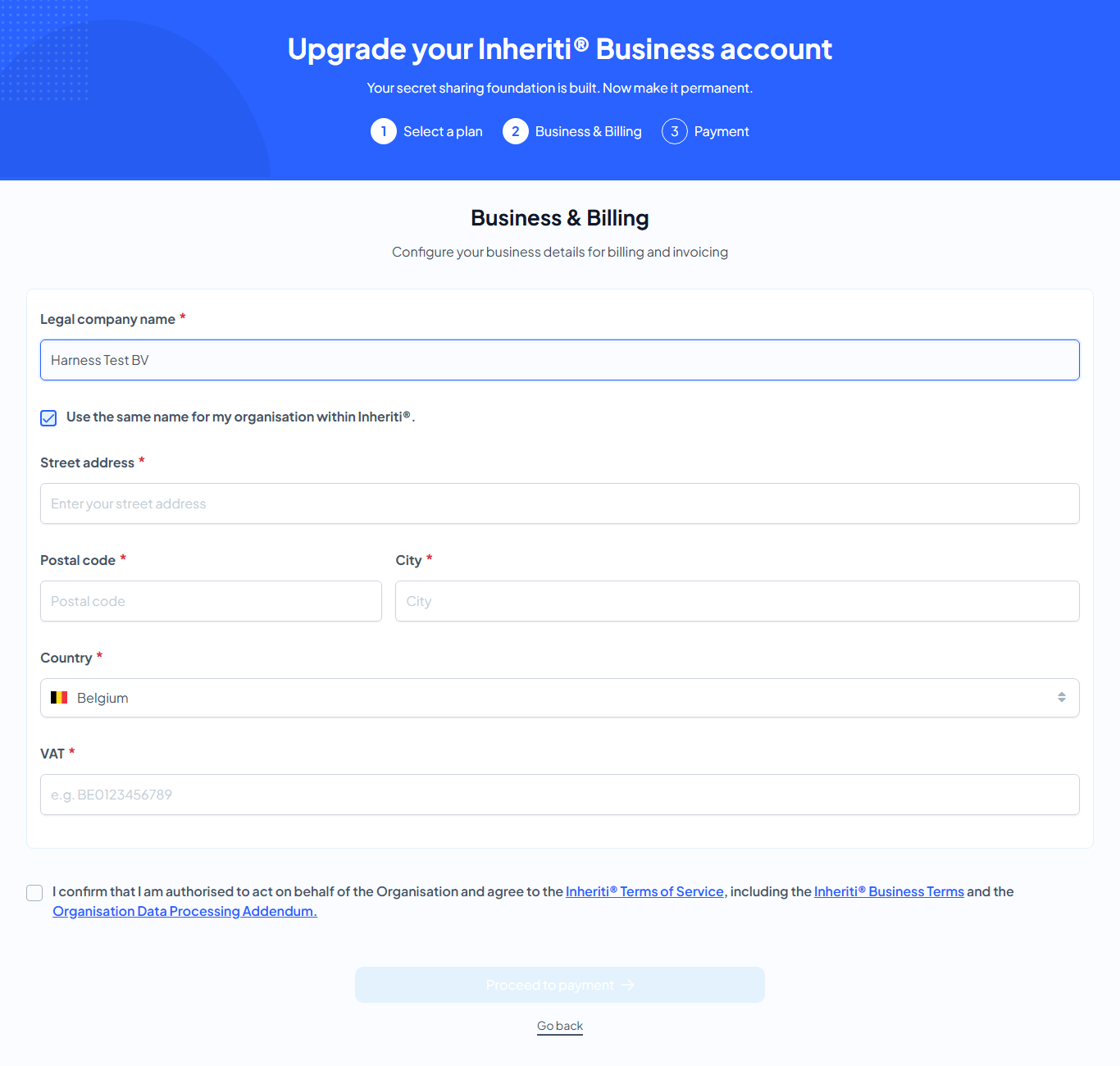
Enter the details that will appear on your invoices:
- Legal company name. Tick "Use the same name for my organisation within Inheriti®" to keep both names equal.
- Street address, Postal code, City and Country.
- VAT, for example BE0123456789.
Then tick: "I confirm that I am authorised to act on behalf of the Organisation and agree to the Inheriti® Terms of Service, including the Inheriti® Business Terms and the Organisation Data Processing Addendum." Proceed to payment stays inactive until every required field is filled and the box is ticked.
Step 3: payment
The last step is Payment. You pay by card, monthly or yearly as you chose.
After you upgrade
- Your invoices appear under My organisation → Billing → Invoices (see Billing).
- You can change seats and capacity later on the Subscription page.
- If a subscription ever ends, the organisation moves to Standby mode.