🧩 Integrations
Secrets are only useful where you work. Integrations are the Inheriti® tools that bring your protected secrets to your desktop, your browser, your editor, your terminal, your AI assistant and your deployments, without ever copying them around in the open.
In Inheriti® Business, open Integrations in the sidebar. The page helps you find the right tool for your task: "Save new secrets, use approved values where you work, or bring existing data into Inheriti® Business."
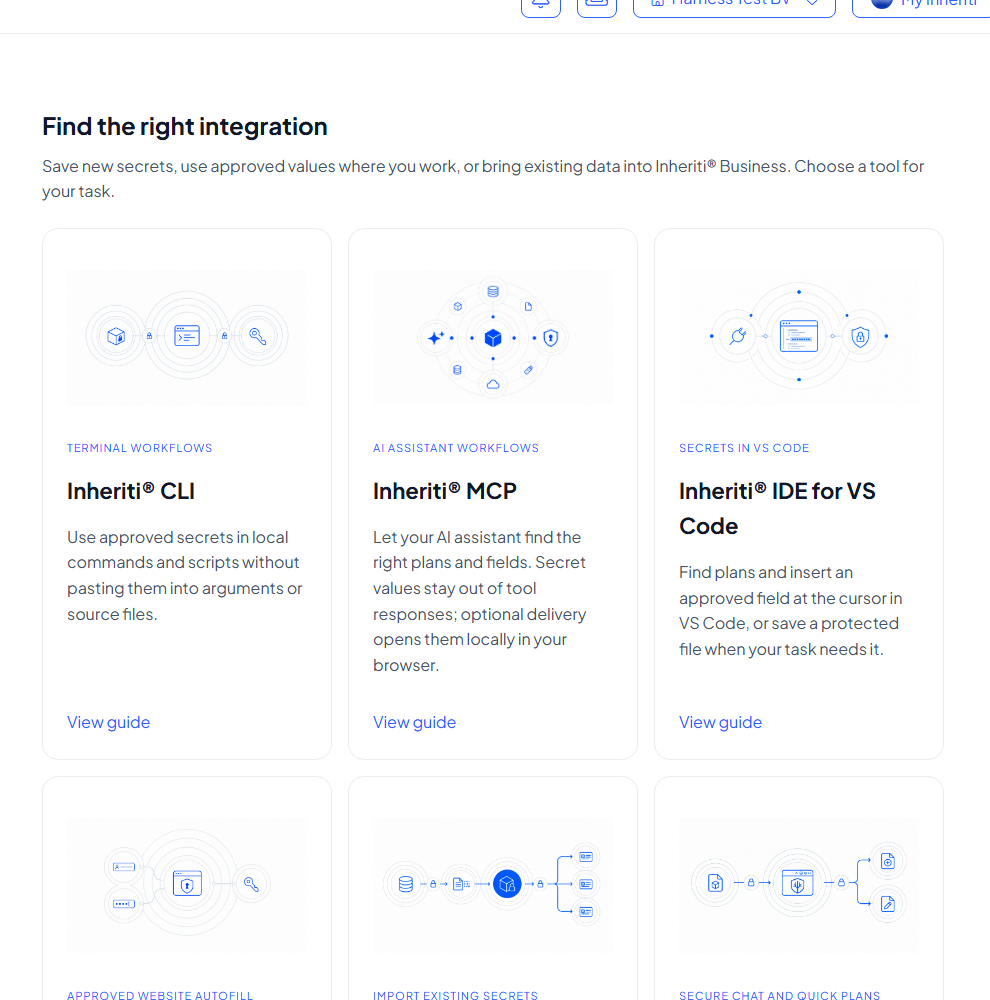
Each tool has a View guide link. The guide has three tabs: Installation, How to use and Examples. This section explains the same tools in more depth, one page per tool.
What every tool has in common
- You sign in with your Inheriti® Business account and choose an organisation. Before you start explains the steps once for all tools.
- Values stay protected. A tool receives only what the plan's rules allow, and nothing more. Looking at a plan's names and fields never reveals a value.
- Access follows the plan. To open a value you complete the plan's normal access flow: Organisation Key release in SafeKey Mobile, authentication, moderation and the other governance steps. No tool bypasses them.
- Everything is logged in the plan's logs and your organisation's audit trail.
Choose a tool
Desktop and browser
| Tool | For | What it does |
|---|---|---|
| Inheriti® Go | A desktop companion | Secure Chat with your team, and quick plans: create a plan or add a secret to one from your computer |
| Inheriti® Guard | Chrome | Fills website fields from an approved plan, with optional browser safeguards in the same panel |
| Inheriti® Database Importer | Existing secrets | Reads an export from KeePass, Passbolt, Kubernetes and more, lets you pick what to keep and sends it to Pending imports |
Developer tools
| Tool | For | What it does |
|---|---|---|
| Inheriti® CLI | Terminal workflows | Use approved secrets in local commands and scripts without pasting them into arguments or source files |
| Inheriti® MCP | AI assistants | Lets your assistant find the right plans and fields. Secret values stay out of tool responses; approved content opens locally in your browser |
| Inheriti® IDE | VS Code | Finds plans and inserts an approved field at the cursor |
Automation
Running unattended, for example in a deployment pipeline? Automation lets approved workloads use plans through a verified cloud identity. Setting up connections in Business is described under Automation connections.
Which tools do you get?
Your subscription decides which tools are included. The plan overview lists Inheriti® CLI, Database Importer, Guard, Go, IDE and MCP under Tools.
Where to download
Each tool's guide has a Current releases list on its Installation tab. Select Download, or Installation instructions for the steps on your system. All six tools are available. If the list is empty, contact your team.
Good to know
- Integrations work with approved values: what a tool receives is what your plan's rules have allowed.
- Unsure where to start? Pick Inheriti® Go or Inheriti® Guard for everyday work, Inheriti® CLI if you live in a terminal, and Inheriti® Database Importer to bring existing secrets in.