🔎 Verify your audit trail
For CISOs, security managers and auditors. This page explains how the audit trail of Inheriti® Business is connected to InheritiChain, its permissioned blockchain built on Hyperledger Fabric, and how you check a recorded event beyond the application's own audit screen.
Separate channels for separate purposes
InheritiChain uses four private channels, each with its own ledger and controlled membership:
| Channel | Purpose |
|---|---|
| Inheriti mainnet | Production transactions supporting Inheriti's data-protection protocol |
| Inheriti testnet | Testing of protocol transactions |
| Audit mainnet | Production audit-trail transactions |
| Audit testnet | Testing and demonstration of audit-trail transactions |
The channels separate protocol activity from audit activity, and production from testing. In the explorer the channels are named auditmainnet (production audit trail), audittestnet (testing), mainnet and testnet (the protocol channels). A transaction belongs to one channel; it is not copied across all four.
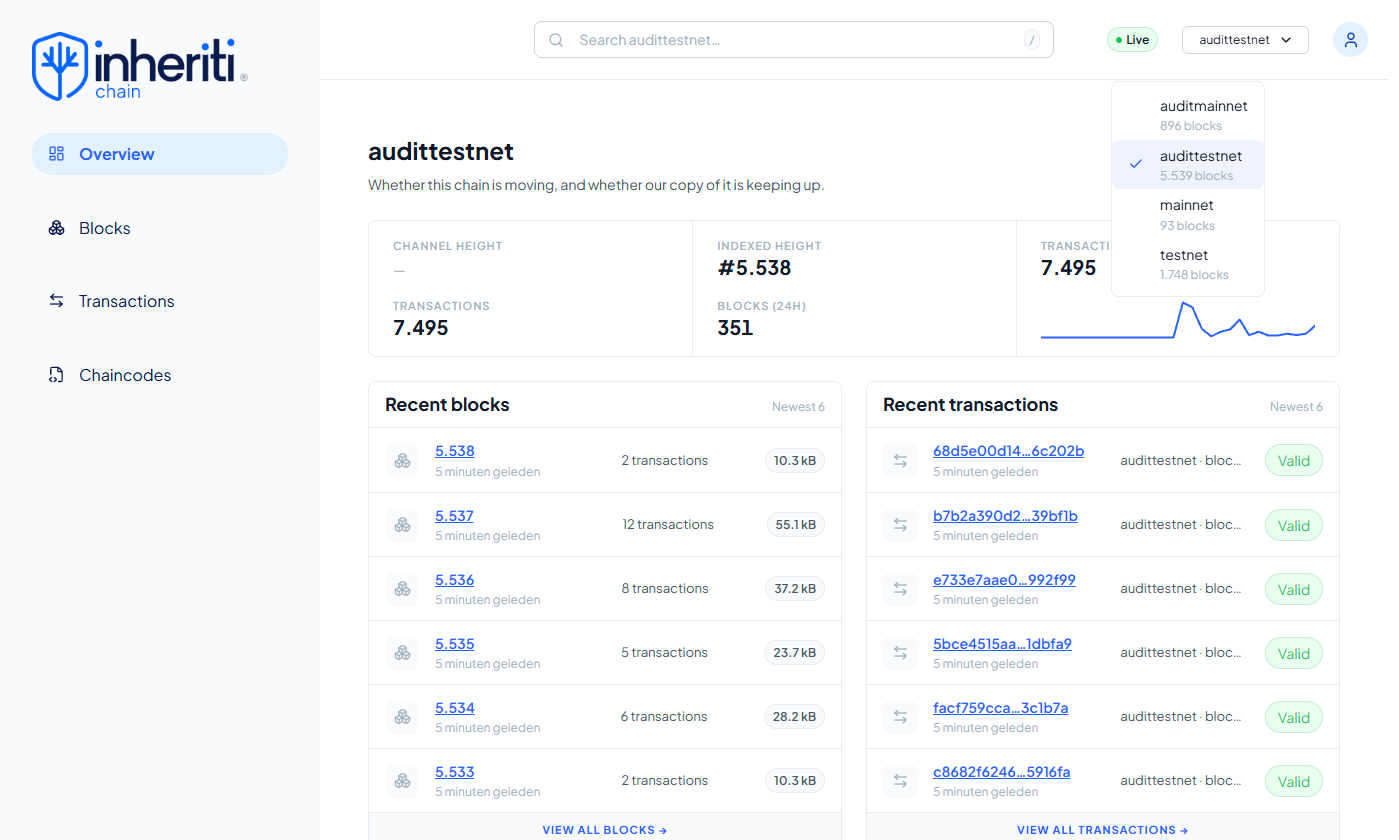
The explorer's channel selector. Audit records live on their own channels, separate from the protocol channels. Private channels give controlled visibility: ledger access depends on the permissions of the identities and organisations taking part.
How the history is protected
Fabric handles a transaction in steps: proposal, execution, endorsement, ordering, validation and commitment. Endorsing peers run the smart-contract logic and sign the result, the ordering service places transactions into blocks, and peers validate them before applying valid changes.
The history is kept in ordered, cryptographically linked blocks. Changing an old transaction would break those links, and later updates become new transactions that leave the earlier history in place. The world state holds the latest values the application uses; a current value can change without erasing the history behind it.
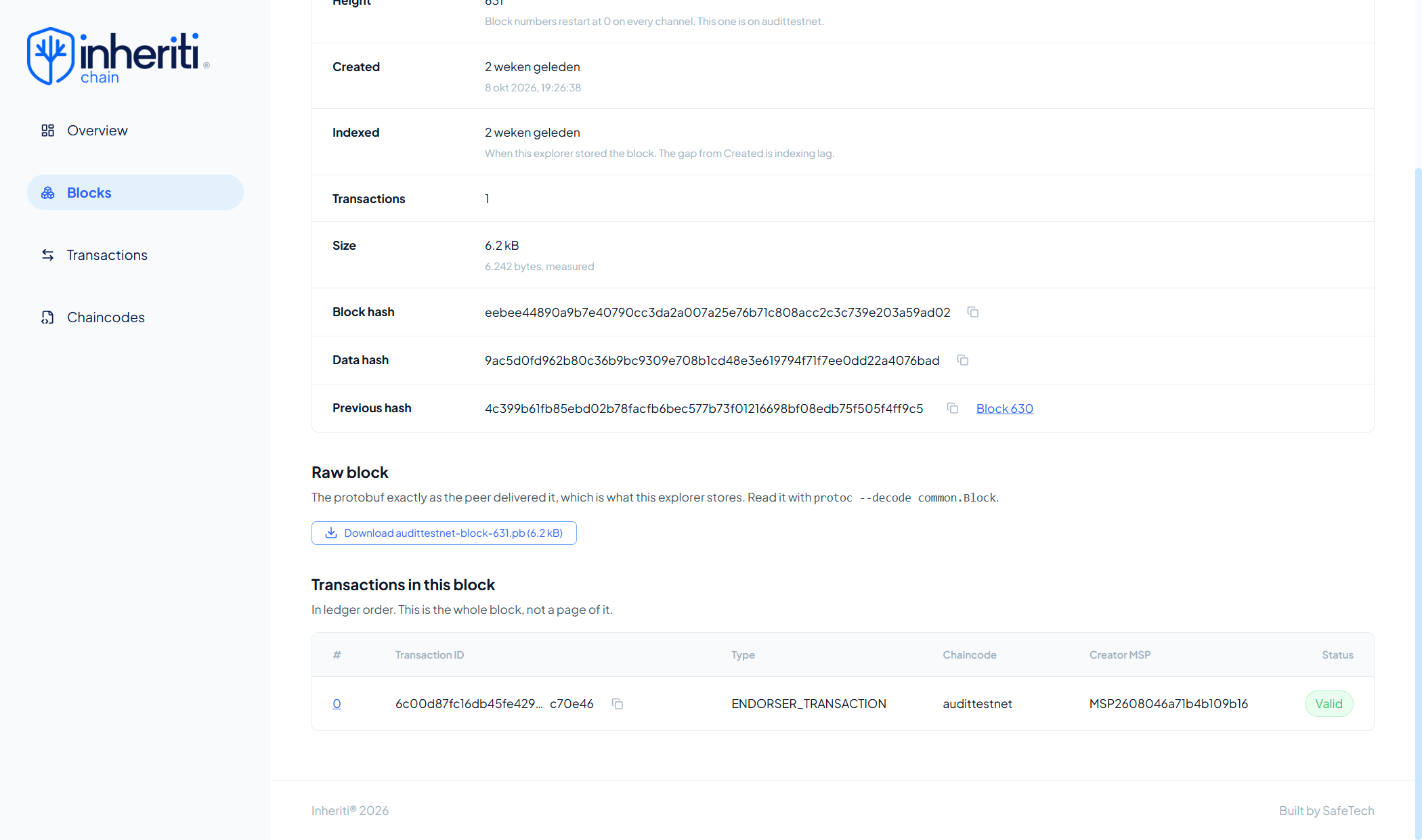
Every block stores the hash of the block before it (Previous hash). Changing a record afterwards would change its block hash and break the chain from that point on, so the history cannot be altered unnoticed. The Transactions in this block table links to the transaction itself.
Inspect the blockchain evidence
The InheritiChain block explorer lets authorised users find a transaction and look at its technical evidence. Start with the transaction ID in the event's Record details, then look that transaction up in the matching audit channel.
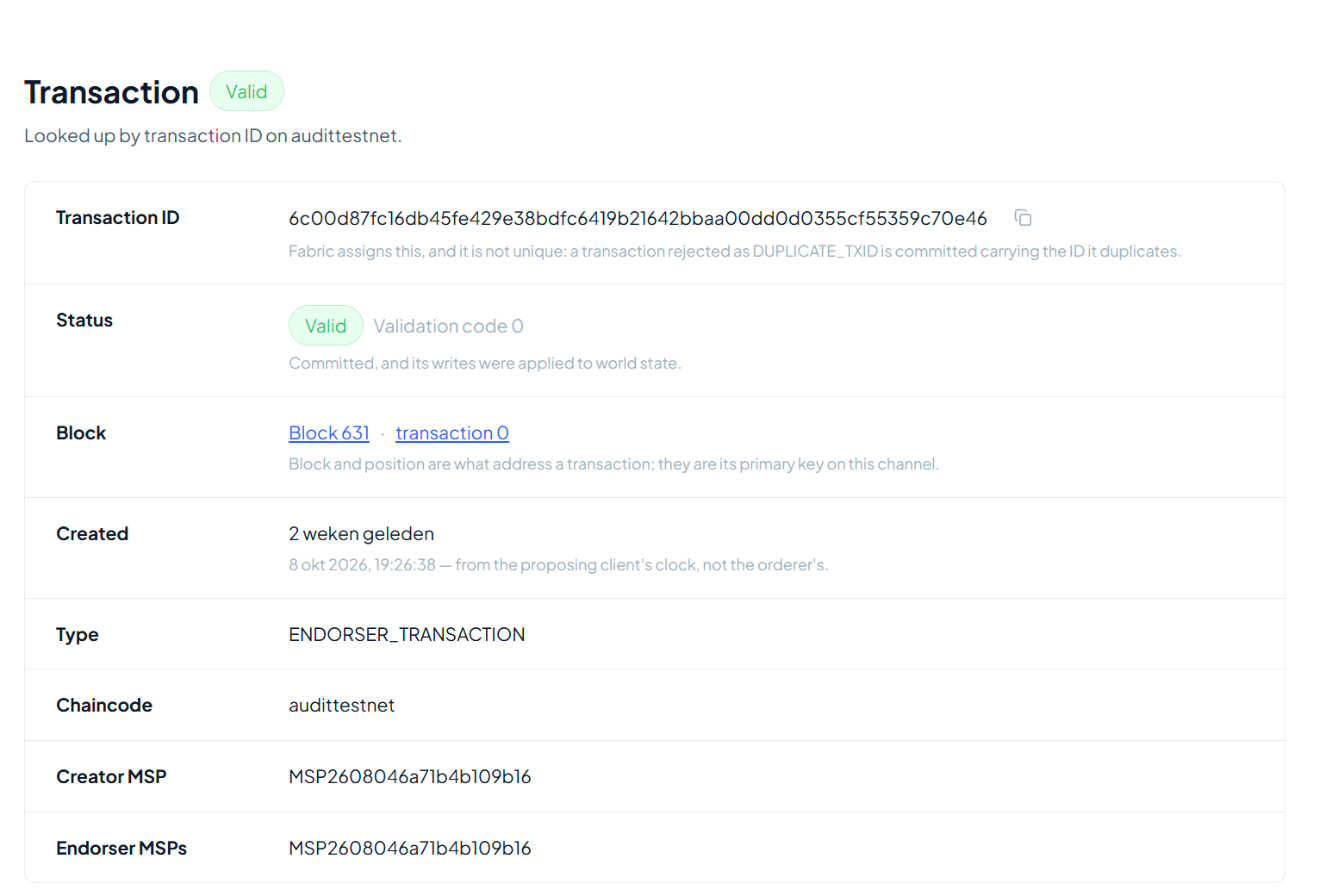
Paste the transaction ID into the explorer. The page shows that the transaction was committed (Status: Valid, validation code 0), in which block, and when it was created.
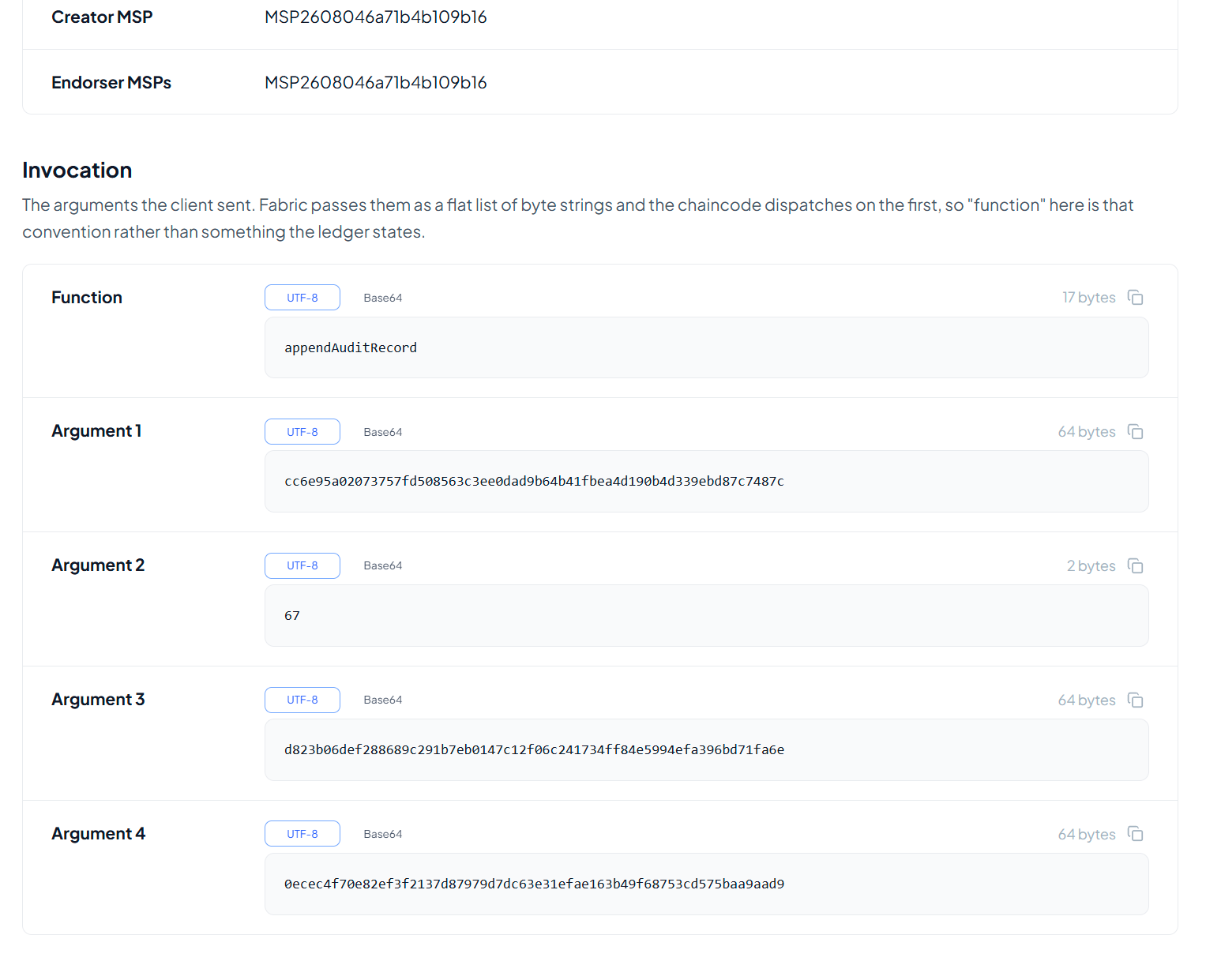
The Invocation section shows what was written with the function appendAuditRecord:
| Argument | What it is |
|---|---|
| Argument 1 | The identifier of your organisation's audit store on the channel |
| Argument 2 | The record's sequence number, the same as in Record details (here 67) |
| Argument 3 | The record's fingerprint, the same as in Record details |
| Argument 4 | The fingerprint of the previous record (here #66). Each record points back to the one before it, so the records form their own chain on top of the blocks |
| Explorer field | What it tells a reviewer |
|---|---|
| Transaction ID | Identifies the blockchain transaction. It is not the fingerprint of the audit record or of the exported report |
| Validation Code | Whether Fabric accepted the transaction. The explorer shows it as Status with the validation code (Valid, code 0). VALID means the endorsement and concurrency checks passed |
| Payload Proposal Hash | A cryptographic reference to the proposal used during endorsement. It is not the audit-record fingerprint |
| Creator MSP | The Fabric organisation or identity domain that submitted the transaction |
| Endorser | The organisation whose peer signed the transaction's result. The explorer labels it Endorser MSPs |
| Chaincode Name | The smart-contract logic that was called. The explorer labels it Chaincode. For protocol transactions the documented example is inheriti; on the audit channels it shows the name of the channel, for example audittestnet |
| Type | The transaction category. ENDORSER_TRANSACTION is an application transaction processed through Fabric's endorsement workflow |
| Time | The transaction timestamp. A time ending in Z is in UTC |
| Reads / Writes | The ledger entries the transaction read and the changes it proposed |
| Direct Link | A link back to the transaction in the explorer |
The Creator MSP names a blockchain organisation, not necessarily the person who did the business action. Use the application's audit record for the person, role, action and outcome, and the transaction details for the blockchain evidence.
VALID describes blockchain validation only. An access request that was denied can still produce a valid audit-trail transaction.
Check a record in the explorer
First run Verify record in Inheriti® Business (see Verify a particular record). Then check the same record independently:
- Open the transaction ID in the explorer, in the matching audit channel.
- Check the Status (Valid) and the block that contains it.
- In Invocation, check that Argument 2 is the record's sequence number and Argument 3 its fingerprint, the same values as in Record details. For a full chain check, Argument 4 must be the fingerprint of the previous record.
Finding a transaction proves that it is present in that channel's history. Matching its fingerprint with the record is what connects that transaction to the record you are reviewing.
Record integrity and report integrity
Record verification checks an audit record against its anchored evidence. Report verification uses the export's SHA-256 fingerprint to check the content it covers against a trusted reference.
Together they support an evidence trail from the recorded business action to its blockchain reference and its exported report. This gives tamper-evident evidence of recorded activity, subject to the governance and security controls of the permissioned network. It supports investigations, access reviews and compliance assessments, and no protected content is included in the audit export.